 Igumnoff
13 Subagents vs. Plain Codex: I Spent 44 Million Tokens to Find Out Whether It Was Worth It
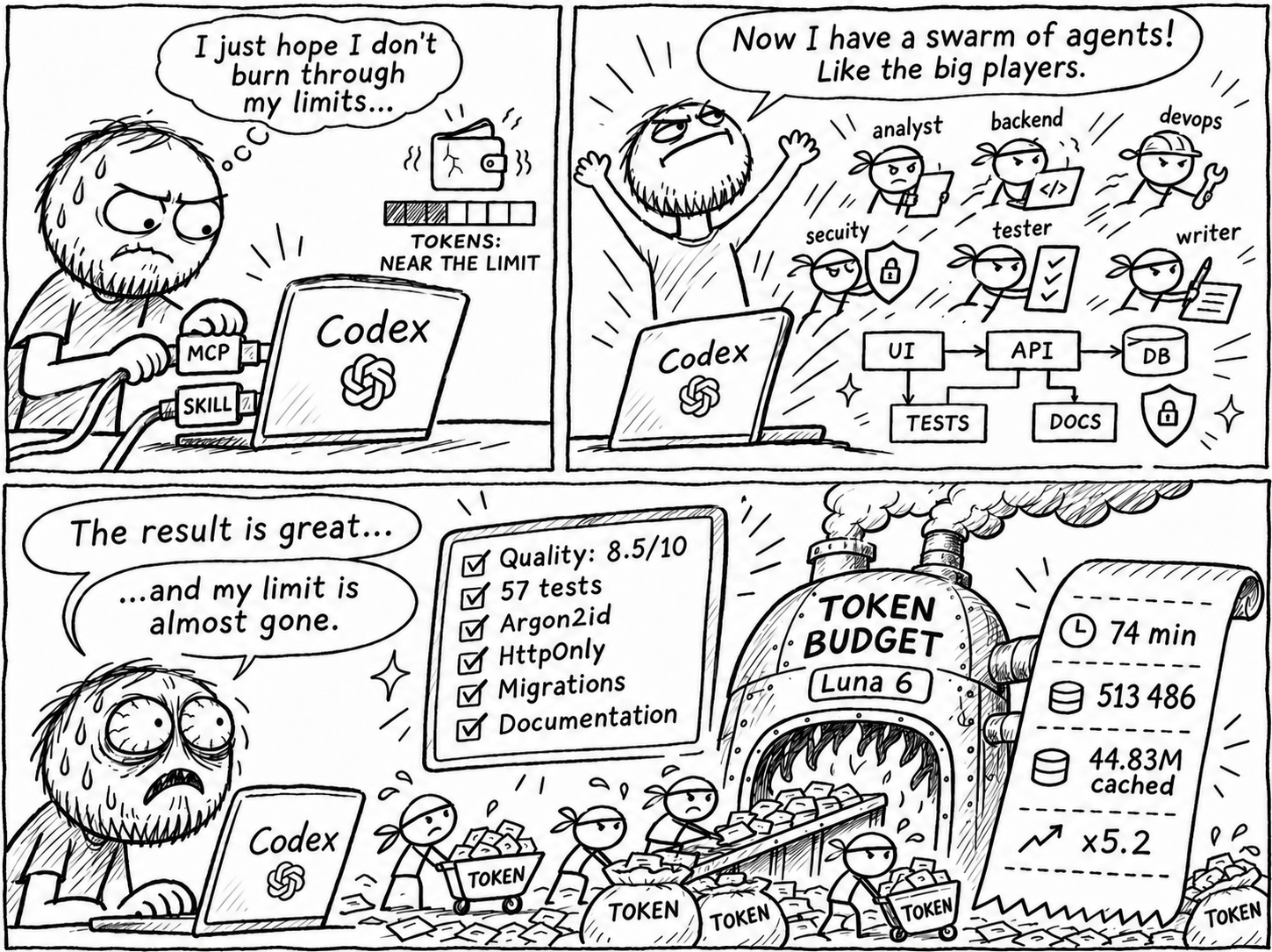
After learning how to connect MCP and SKILLs to Harness AI, I decided to move up a level of abstraction and explore the much-talked-about new concept of an “agent swarm.” I remember how nervous I was about trying SKILLs and MCP: I thought I’d go broke and burn through my limits on a $20 monthly plan. But it wasn’t as scary as it seemed. Since I didn’t go broke last time, why not try my luck with agents? It’s pretty cool to have a whole swarm of agents working for you, like the big players who spend tens or hundreds of thousands of dollars on tokens.
There are two very popular projects right now.
The first is garrytan/gstack, which has 140,000 stars. It was created by Garry Tan, head of Y Combinator. The project turns Claude Code into a virtual software development team using skills and slash commands:
/plan-ceo-review, review the product from the CEO’s perspective.
/plan-eng-review, architecture review.
/plan-design-review, design review.
/review, code review.
/qa, browser-based testing.
/ship, prepare changes for release.
/cso, security audit.
The second is wshobson/agents, with 42,000 stars. It’s a large collection of agents for every occasion, with hundreds of components for development:
- Specialized agents: frontend, backend, database, security, DevOps, and more.
- Skills for languages, frameworks, architecture, and testing.
- Commands for common tasks.
- Plugins that combine agents, skills, and commands.
- Ready-made multi-agent workflows.
But as always, I have my own approach. If you want to understand something and try a technology in practice, don’t use an off-the-shelf solution—go build your own from scratch. First, I learned what agents are and how to work with them. It turned out Codex has a built-in subagent system. The idea is that you can give Codex a task, then launch several agents to handle it, either in parallel or one after another. Each agent gets its own context. The main Codex instance orchestrates—or, in plain English, manages—the subagents and brings their work together into a single result.
This approach has two advantages and one drawback. First, agents can work in parallel, although not every task can be split into parallel subtasks. Second, each agent has its own context and task, which can improve the quality of the work: it’s easier for an LLM to stay focused when its context doesn’t keep growing. The third point is the drawback: solving the task as a whole takes more tokens. Here’s an example prompt for Codex:
Launch three subagents in parallel. Have the first find the five largest
files in the project, the second count the lines of code,
and the third identify which programming languages are used.
Wait for all three to finish, then produce a combined report.
The example above is simple: all three subagents work on different tasks while remaining the same type of agent. Codex lets you describe how agents should work and what they should do. You can set general instructions at a global level so they apply to every repository you work with. You can also create separate agents for each repository, tailored to its specific needs. I ended up adding these agents:
- analyst, analyzes requirements, business logic, the domain, and tasks.
- architector, designs the system architecture and defines technical decisions and development standards.
- planner, explores the repository and creates plans for new projects and feature tasks.
- frontend-developer, builds the client side of the application, its interfaces, and API integrations.
- backend-developer, builds server-side logic, APIs, and integrations.
- database-developer, designs the database schema, writes migrations, and optimizes SQL queries.
- devops, configures servers and infrastructure, and handles CI/CD and application deployment.
- security-engineer, checks the security of code, architecture, and infrastructure, and identifies vulnerabilities.
- ux-ui-expert, designs user interfaces, prototypes, and interaction flows.
- unit-tester, creates, maintains, and runs unit tests.
- ui-tester, creates and runs UI/E2E tests and checks user scenarios.
- technical-writer, writes and maintains documentation, help materials, guides, and instructions.
- code-reviewer, checks code quality, adherence to standards, and the correctness of changes.
Next, I created an AGENTS.md file that clearly describes when, how, and which agent to use. That way, Codex doesn’t have to decide for itself which agent to use or what to use it for. The result was a project template with agents, documents, and rules for using them already in place. You can copy the template into a project repository and use it. Here’s my repository with the template.
Now for the interesting part: how many extra tokens does an agent swarm use, and how much better are the results? To compare, I ran the same prompt in plain Codex and in Codex with agents:
Build a task manager. Web app: Angular, Material.
Server: Rust. Database: SQLite. It needs a login form and a task list,
with the ability to add, delete, and edit tasks, and
mark them as complete.
What were the experiment’s results? How many tokens did the agent swarm use?
| Metric | Plain Codex | Agent swarm | Difference |
|---|---|---|---|
| Completion time | 13 min | 74 min | ×5.7 |
| Input tokens | 62,187 | 411,275 | ×6.6 |
| Output tokens | 36,405 | 102,211 | ×2.8 |
| Reasoning tokens | 12,760 | 74,434 | ×5.8 |
| Cached tokens | 1.24 million | 44.31 million | ×35.8 |
| Total without cache | 98,592 | 513,486 | ×5.2 |
| Total with cache | 1.34 million | 44.83 million | ×33.5 |
And what about code quality?
The most interesting question now is how much better the result turned out. I compared both projects on architecture, security, tests, and documentation.
Plain Codex scored 5/10, while Codex with an agent swarm scored 8.5/10.
I collected the comparison details in a table:
| Metric | Plain Codex | Agent swarm |
|---|---|---|
| Code quality | 5/10 | 8.5/10 |
| Backend | One file, about 400 lines | Split into modules |
| Frontend | Working Angular UI | Modular structure |
| Database migrations | No | Yes |
| Backend tests | Not found | Passed: 21 |
| Frontend tests | Not found | Passed: 29 |
| E2E tests | Not found | Passed: 7 |
| UI prototypes | Not found | Yes |
| Total tests | None found | Passed: 57 |
| Password storage | Demo credentials demo/demo123 |
Argon2id |
| Authentication | Token in localStorage |
HttpOnly cookie |
| Brute-force protection | No | Yes |
| Origin check | No | Yes |
| Security audit | No | Separate report |
| API documentation | No | Yes |
| Architecture documentation | No | Yes |
| README | Brief | Expanded |
Overall, here’s my verdict. If you want a polished, high-quality result, an agent swarm makes sense, but the time required to complete the task will increase sharply. It doesn’t use up my five-hour limits, though; it uses about half. And if you need to quickly hack something together, following the “student project: you build it, it works, good enough” principle, plain Codex out of the box is the best option for you.
P. S.
You can also choose which LLM each agent uses and what reasoning level it should have. You set this directly in the agent’s description file. Since I’m trying to save money, I use Luna 6 with the maximum reasoning level by default so I can stay on the $20 monthly plan.